
AWS Device Farm alternatives for Android teams
Some teams need more than automated runs. They need clear, hands-on access to real Android devices for manual testing, release checks, demos, and everyday mobile operations without carrying the full complexity of a traditional device farm workflow.
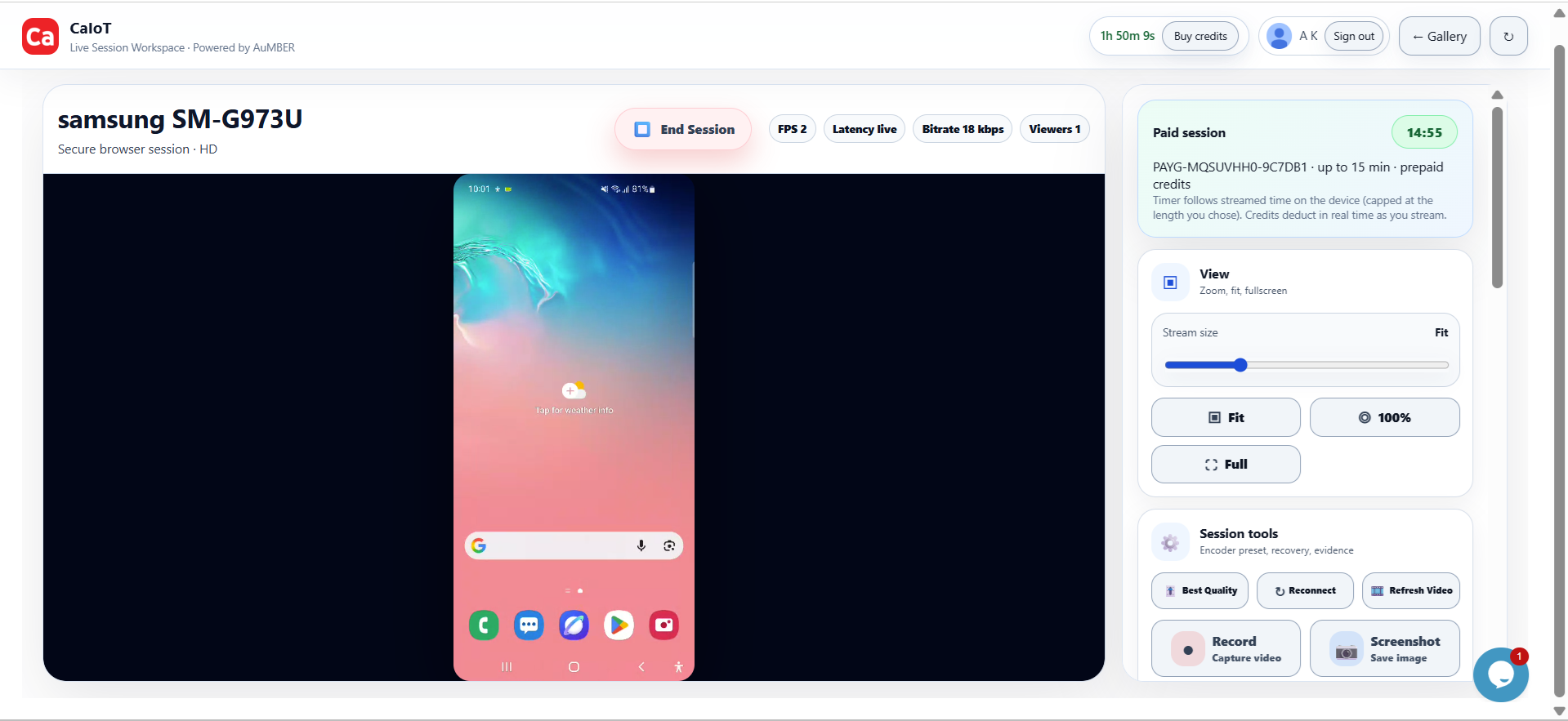
Seeing the device clearly matters as much as accessing it.
When a teammate needs to verify a login bug, camera issue, purchase failure, or UI regression, speed and clarity often matter more than a heavyweight process.
Teams searching for an AWS Device Farm alternative are usually not saying the old model is useless. They are saying their day-to-day needs changed. Maybe they now need faster manual access. Maybe product and support teams need to join the workflow. Maybe they want to extend into real devices in the cloud and eventually a BYOD DeviceLab path.
Why teams move beyond a classic device farm mindset
Traditional device farm comparisons often focus on test execution. That is important, but many teams also need practical, repeatable access to a phone that behaves like a phone, not just a test target.
- Manual validation: Check onboarding, payments, content rendering, or workflow quality before release.
- Cross-team use: Give QA, engineering, product, support, and sales a common way to use real devices.
- Faster reproductions: Jump directly into a device session when a bug report appears.
- Operational flexibility: Support demos, training, customer issue verification, or AI-assisted testing routines.
What to compare in an alternative
If the goal is better real-device work, compare the workflow as much as the feature list.
- Session simplicity: How quickly can someone open a device and start validating?
- Live stream quality: Is the device view clear enough for visual verification and fine interaction work?
- Coverage relevance: Are the Android models aligned with how your customers actually use mobile apps?
- Manual plus operational usage: Can the platform support testing, demos, support, and day-to-day workflows?
- Dedicated or private paths: Can your team grow into a more controlled environment without changing vendors entirely?
How BYOD changes the picture
For some teams, the next step is not just renting public cloud device time. It is using spare or owned Android inventory more strategically. That is where a BYOD-style model becomes interesting.
- Reuse idle devices: Turn dormant phones into useful test or validation capacity.
- Add control: Keep a more predictable fleet for sensitive apps or repeatable workflows.
- Support private deployment: Build a more dedicated environment without losing the convenience of remote access.
- Scale gradually: Start with public cloud access, then expand into a hybrid or dedicated lab model.
How CaIoT approaches the problem
CaIoT focuses on practical real-device access. DeviceLab gives teams on-demand Android devices in the cloud for live use. DeviceLab extends that with more dedicated options for organizations that want stronger control, repeatability, or BYOD-oriented deployment.
That makes the platform useful for far more than automated testing alone. Teams can use it for mobile validation, support reproduction, release sign-off, partner demos, field process checks, and broader Android operations.
Why this matters for Canadian teams
For teams in Canada, a practical real-device cloud can reduce the need to maintain a constantly growing internal handset collection. It also creates a clearer path for organizations that want to experiment with BYOD or dedicated device environments over time.
FAQ: AWS Device Farm alternatives
Is a device farm still useful?
Yes. The question is whether it fits your current job to be done. If your team needs more live, hands-on validation and less operational friction, a different model may be a better fit.
Do alternatives only help with testing?
No. They often help with demos, support, onboarding verification, content QA, and general mobile operations too.
What if I need a dedicated environment later?
Choose a platform that gives you a path from public cloud sessions to dedicated DeviceLab options so you can expand without rebuilding the workflow.
Can BYOD and public cloud coexist?
Yes. For many organizations, a hybrid model is the most practical setup.
Recommended next reads: BrowserStack alternative guide, Android testing guide, and real devices vs VPN-only validation.
Choose the workflow your team will actually use.
Start with real Android device access in DeviceLab, then grow into dedicated or BYOD-style lab setups when you need more control.