
Android testing best practices for real-world releases
The best Android testing strategy balances speed, coverage, and real-device confidence. These practices help teams catch issues earlier without building unnecessary process overhead.
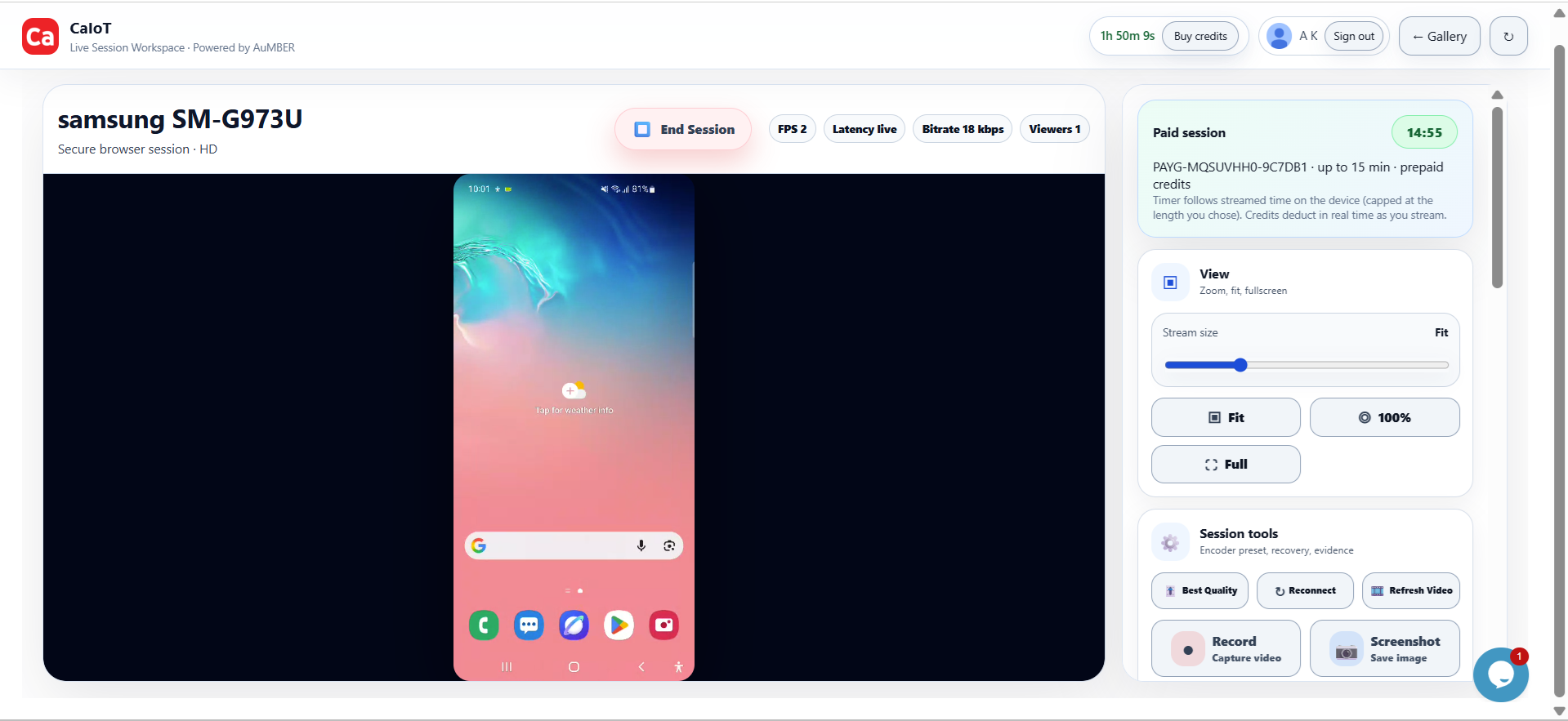
Real devices reveal what staging screenshots hide.
Live sessions make it easier to spot broken layouts, flaky onboarding, biometric issues, notification problems, permission prompts, and hardware-specific bugs before they turn into support tickets.
Android is not one environment. It is a moving mix of manufacturers, OS versions, chipsets, screen densities, battery behaviours, network conditions, and regional usage patterns. A flow that looks fine on one device can break on another because of rendering differences, vendor software, storage pressure, camera permissions, or background process rules.
That is why teams searching for Android testing in Canada, real devices in the cloud, or BYOD device labs are usually trying to solve the same business problem: release with more confidence while spending less time reproducing issues after launch.
Why real Android devices matter
Emulators are useful for development speed, but they are not a replacement for physical hardware when quality risk is on the line. Real devices let you validate the exact conditions users experience.
- UI and layout: Check spacing, clipping, keyboard overlap, font scaling, and notch behaviour across actual screens.
- Hardware features: Validate camera, microphone, Bluetooth, GPS, sensors, biometrics, and storage behaviour on real phones and tablets.
- OS and OEM differences: Compare Samsung, Xiaomi, Motorola, Pixel, and other vendor-specific behaviour that emulators cannot reproduce accurately.
- Performance and stability: Catch slow cold starts, memory pressure issues, overheating, and app state problems under real-world use.
- Release confidence: Confirm your core journey works before a production rollout, store submission, partner demo, or customer handoff.
What a modern Android testing workflow should include
The best setup is usually not one tool. It is a layered process that keeps teams fast during development and reliable during release.
- Fast local iteration: Use simulators and internal builds early to move quickly.
- Real-device checkpoints: Run critical paths on physical devices before merge, release, and launch milestones.
- Coverage by risk: Test the devices your customers use most, then add edge devices for high-risk scenarios.
- Cloud availability: Keep device access on demand so product, QA, support, and engineering can all validate when needed.
- Team-friendly sharing: Make it simple to open a session, reproduce an issue, and hand the same device state to another teammate.
Real device cloud vs. building your own lab
Many teams start by buying a few phones. That works for a while, but it usually creates a maintenance burden. Devices need charging, updating, resetting, rotating, monitoring, and replacing. Remote access adds another layer of operational overhead.
A real device cloud reduces that friction because teams can browse available hardware, start sessions quickly, and validate issues without physically handling each phone. When a team needs more isolation, dedicated routing, or a controlled fleet, a private DeviceLab model becomes a better fit.
Where BYOD fits in
BYOD in this context means bringing spare or distributed devices into a managed test environment instead of letting them sit idle. This can be valuable for enterprises, service providers, repair networks, resellers, and organizations with dormant Android inventory.
- Lower capital waste: Existing devices can become useful test capacity.
- Regional flexibility: Teams can support use cases that need devices in specific geographies or networks.
- Private lab control: Sensitive projects can run in a more controlled deployment path while still benefiting from remote access.
- Scalable coverage: Add or rotate devices as demand changes instead of rebuilding your process every quarter.
How CaIoT supports Android testing teams
CaIoT is built around practical access to real Android devices in the cloud. Teams can use DeviceLab for on-demand access, explore DeviceLab for more dedicated environments, and extend coverage with contributor-powered inventory where that model makes sense.
That makes the platform useful for release testing, partner demos, support reproductions, QA sign-off, mobile onboarding checks, ad-tech validation, field workflow testing, and broader BYOD-style deployment strategies.
FAQ: Android testing and device cloud access
What is the biggest risk of relying only on emulators?
The biggest risk is false confidence. Core journeys can appear stable in a controlled environment while failing on actual hardware because of OEM software, input behaviour, battery rules, connectivity, or resource limits.
Who should use a real device cloud?
Engineering, QA, product, support, growth, and customer success teams can all benefit when they need to confirm what users see on actual Android devices without waiting for a physical handset to change hands.
When does a BYOD DeviceLab make sense?
It makes sense when a team wants more control over inventory, geography, access policy, or private deployment while still keeping a remote testing workflow.
Can this help teams in Canada?
Yes. Teams in Canada often need a practical, lower-friction way to access real Android hardware for release checks, demos, and mobile operations without building and managing everything in-house.
Next reads: Why real device testing matters, what to look for in a BrowserStack alternative, and how to compare AWS Device Farm alternatives.
See the issue on a real device, then ship with confidence.
Open DeviceLab for on-demand access or explore a more dedicated DeviceLab path for BYOD and private deployment needs.