
Real device testing vs emulators
Emulators are useful for speed, but real Android hardware gives the stronger signal when release risk, user trust, and device-specific behaviour matter.
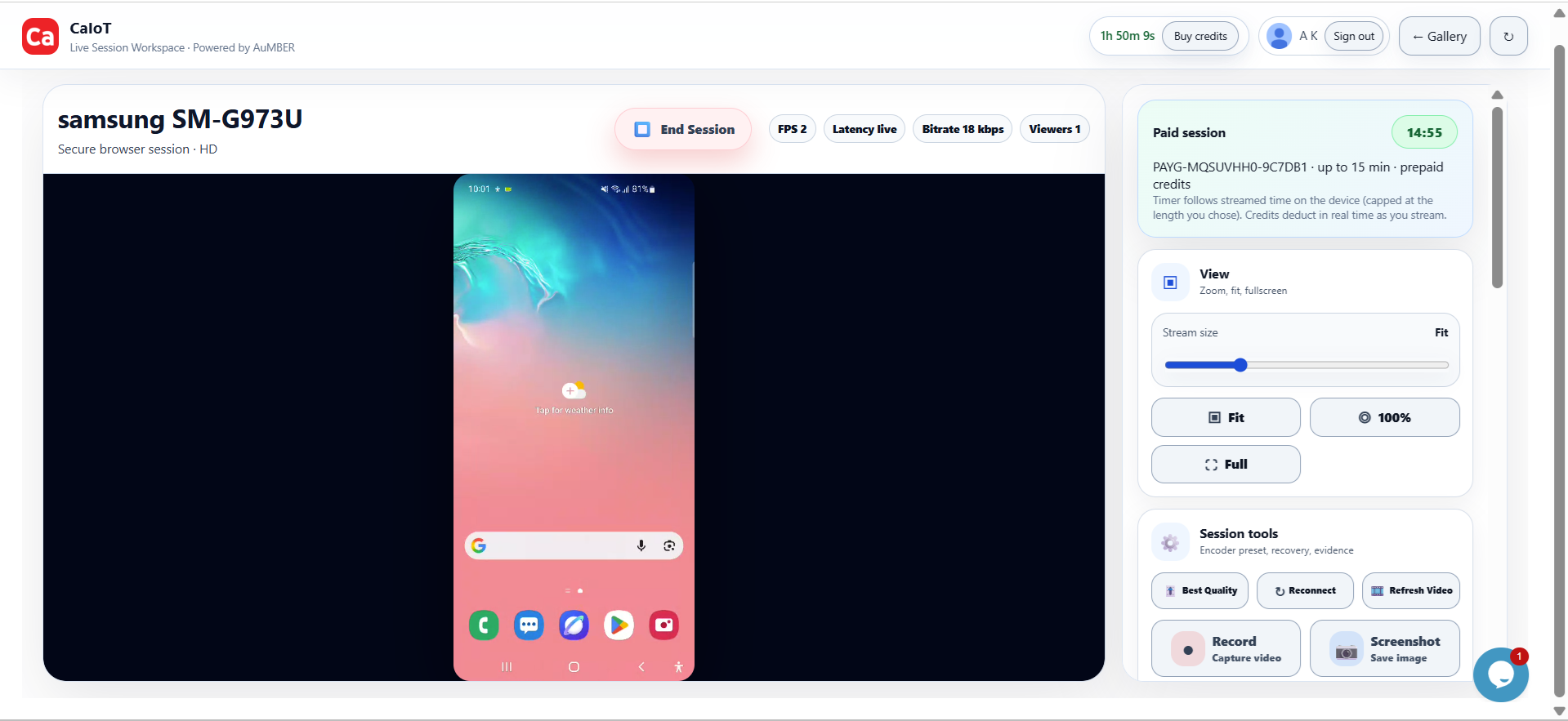
Confidence comes from observing reality, not approximations.
When a release is close, a customer issue is urgent, or a demo must work first time, real-device access becomes one of the highest-leverage tools a team can have.
Real device testing means validating your mobile app, workflow, or customer experience on physical phones and tablets rather than relying only on simulators, screenshots, or theoretical checks. It sounds simple, but it changes the quality of the signal you get.
What real devices reveal that emulators do not
Emulators are useful for development speed. They are not the final truth of how a mobile experience behaves in the wild. Real Android hardware introduces variables that materially affect product quality.
- Manufacturer behaviour: Samsung, Xiaomi, Motorola, Pixel, and other brands can each introduce quirks that affect rendering, permissions, or background processes.
- Performance under pressure: Memory constraints, battery optimization, storage limits, and thermal behaviour can change how an app feels.
- Hardware interaction: Camera, microphone, sensors, biometrics, and network handoffs behave differently on physical devices.
- Human-scale usability: Keyboard overlap, font scaling, touch accuracy, motion, and screen brightness all influence real user success.
Why teams are investing in real devices in the cloud
Owning a shelf of devices can work for a while, but it creates overhead fast. Charging, resetting, updating, labeling, replacing, and sharing handsets across teams takes time. A cloud-based real-device model solves a different problem: how to make actual phones available when someone needs to validate something right now.
This is especially useful for:
- QA: Final regression checks and bug reproduction.
- Engineering: Confirmation of fixes on targeted hardware.
- Product: Experience reviews before launch or stakeholder meetings.
- Support: Verification of customer-reported device issues.
- Growth and operations: Geo flows, onboarding, content, and app-store readiness.
Real device cloud vs. private or BYOD device labs
Not every organization wants the same operating model. Some teams want quick public cloud access. Others need more dedicated control, specific device inventories, or a way to use dormant Android hardware they already own.
That is where BYOD and dedicated labs come in.
- Public cloud access: Great for speed, flexibility, and shared team usage.
- Dedicated lab options: Better when repeatability, access policy, or private environments matter more.
- BYOD models: Useful when organizations want to turn spare Android devices into usable remote testing capacity.
How CaIoT supports real device testing
CaIoT helps teams use real Android devices in the cloud without building everything from scratch. DeviceLab supports on-demand access for live sessions, while DeviceLab supports more dedicated or scalable environments. That combination works well for both immediate validation and longer-term BYOD or controlled deployment strategies.
Why this matters in Canada
Teams in Canada often want a faster path to mobile confidence without carrying the operational burden of an oversized in-house lab. A real-device cloud gives them access when needed, while a device-lab path allows deeper control if the use case grows.
FAQ: real device testing
Is real device testing only for large QA teams?
No. It is often even more valuable for small teams because they have less room for production surprises.
When should I use it?
Use it before release, during bug reproduction, before customer demos, and whenever a mobile flow is important enough that guessing is risky.
Do I need both a cloud and a dedicated lab?
Not always. Many teams start with cloud access and expand only when their coverage, privacy, or control needs increase.
Can real devices help with BYOD strategy?
Yes. BYOD becomes much more useful when spare devices can be organized into a practical remote-access workflow.
Continue reading: Android testing guide, AWS Device Farm alternative, and how contributor-powered device supply works.
Replace assumption with direct visibility.
Open a real Android device when you need the answer now, then expand into a more dedicated lab model as your workflow grows.